Socomec
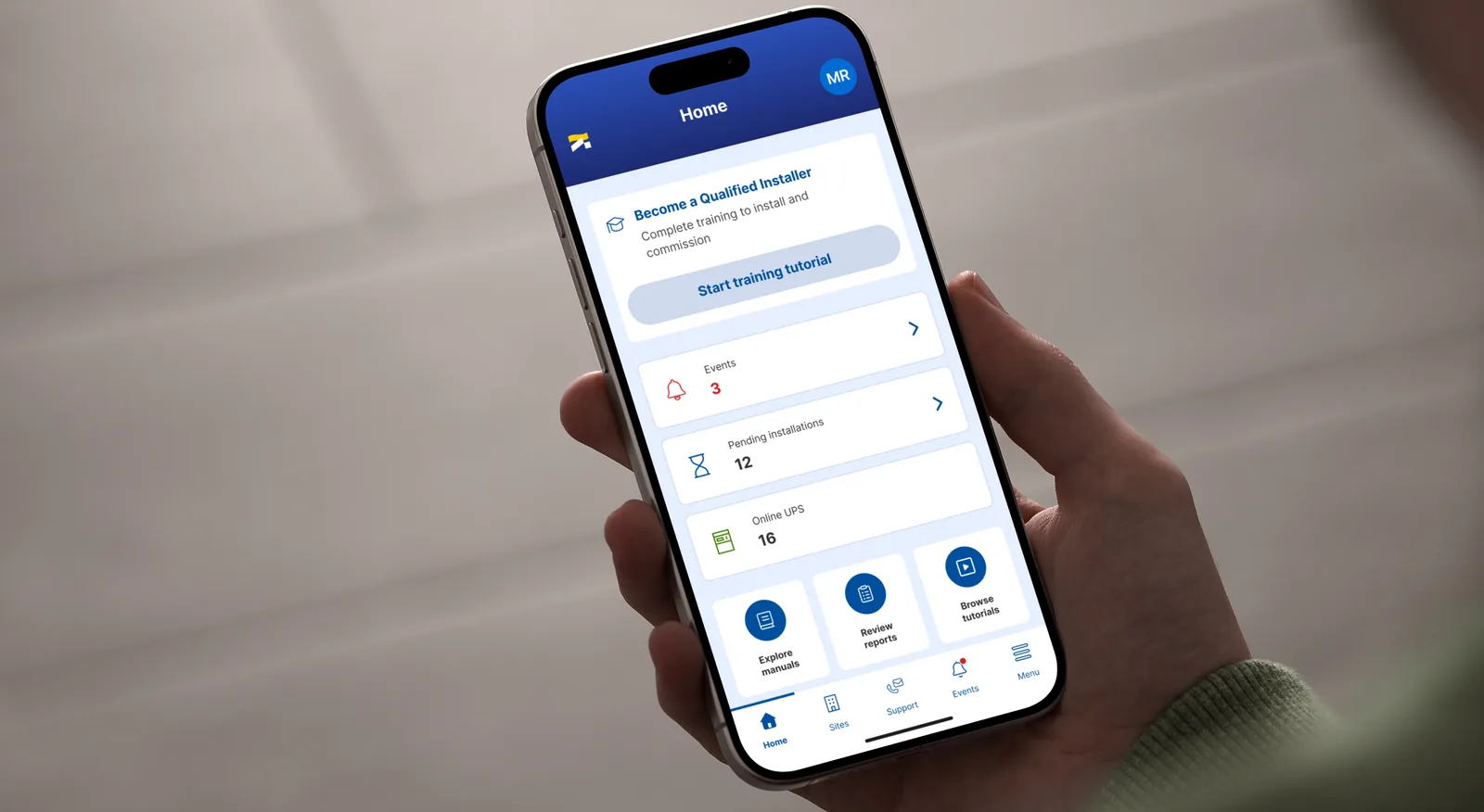
IoT app for backup power system management
Replacing two disconnected legacy apps with one unified IoT product for installers and end users.
CORE PROBLEM
One product experience split across two disconnected apps
Socomec's smart backup power system (smart UPS) was managed through Ewire (installers only) and Solive (end users only), two separate tools with no shared data.
- No handoff between installer and end user, commissioning data didn't carry over.
- Weak onboarding, no step feedback, no video or visual guidance, especially on critical workflows like installation and commissioning, where installers were not skilled enough to proceed confidently alone and routinely needed a Socomec technician to step in.
DISCOVERY
Four steps to move from current-state pain points to a validated TO-BE direction:
- AS-IS audit of Ewire and Solive: unclear QR instructions, ambiguous data entry, missing step feedback, no guidance on acceptable value ranges.
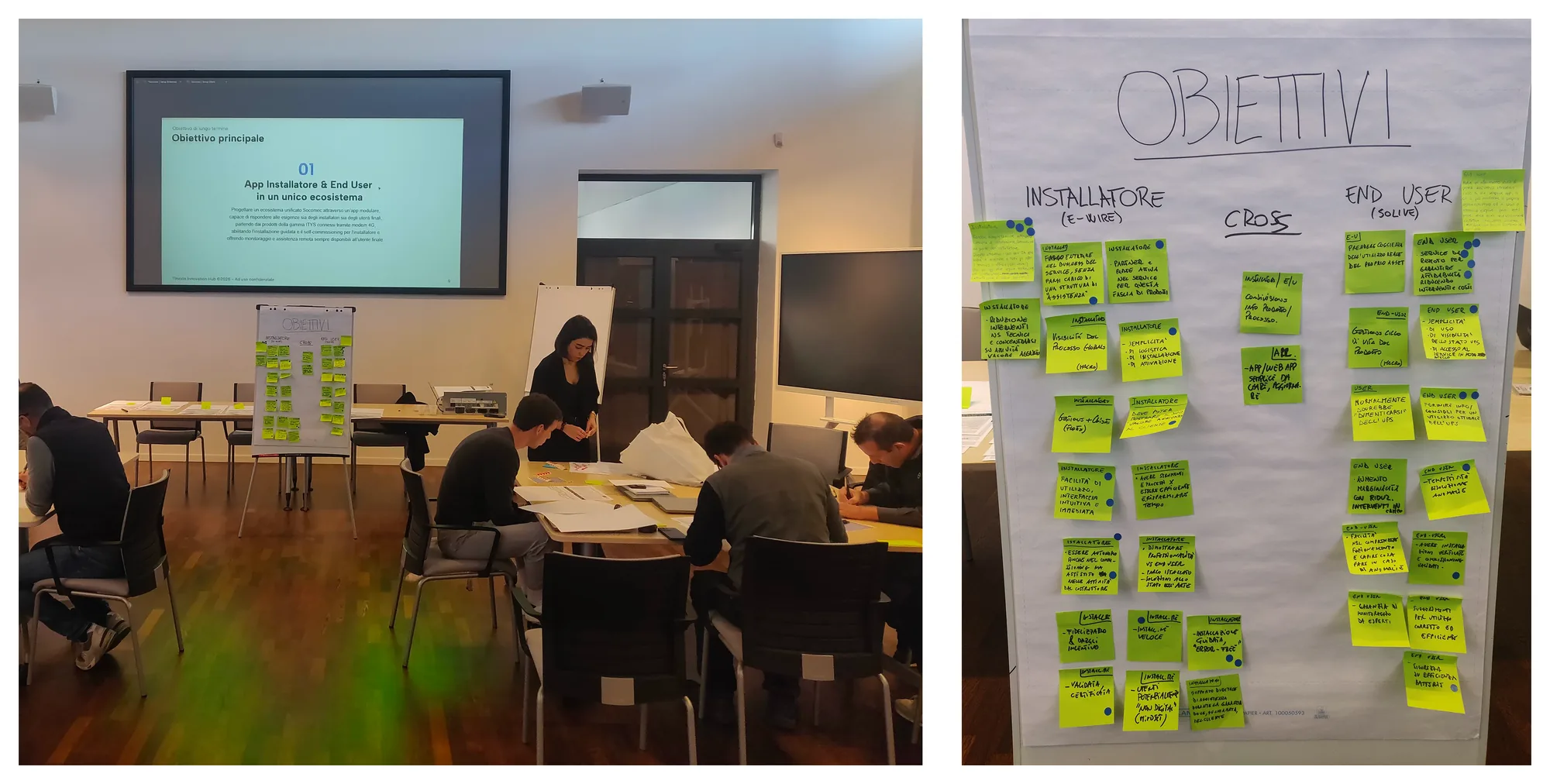
- In-person workshop: defined TO-BE objectives with stakeholders, shaping how core sections and features should work. I used AI to turn raw workshop notes into a structured summary feeding directly into the concept.
- Online co-design workshop: reviewed the hypothesis of TO-BE flows and wireframes with the client.
- TO-BE backlog: user stories for the installer and end user personas. I used AI to turn workshop and research output into a ready Jira backlog.
UX DECISIONS
One app, shared data, role-based flows
Installation data flows from installer to end user automatically; installers get full diagnostic depth, end users get a simplified product-centric view. Same data, different lens.
Guided flows for installation and commissioning
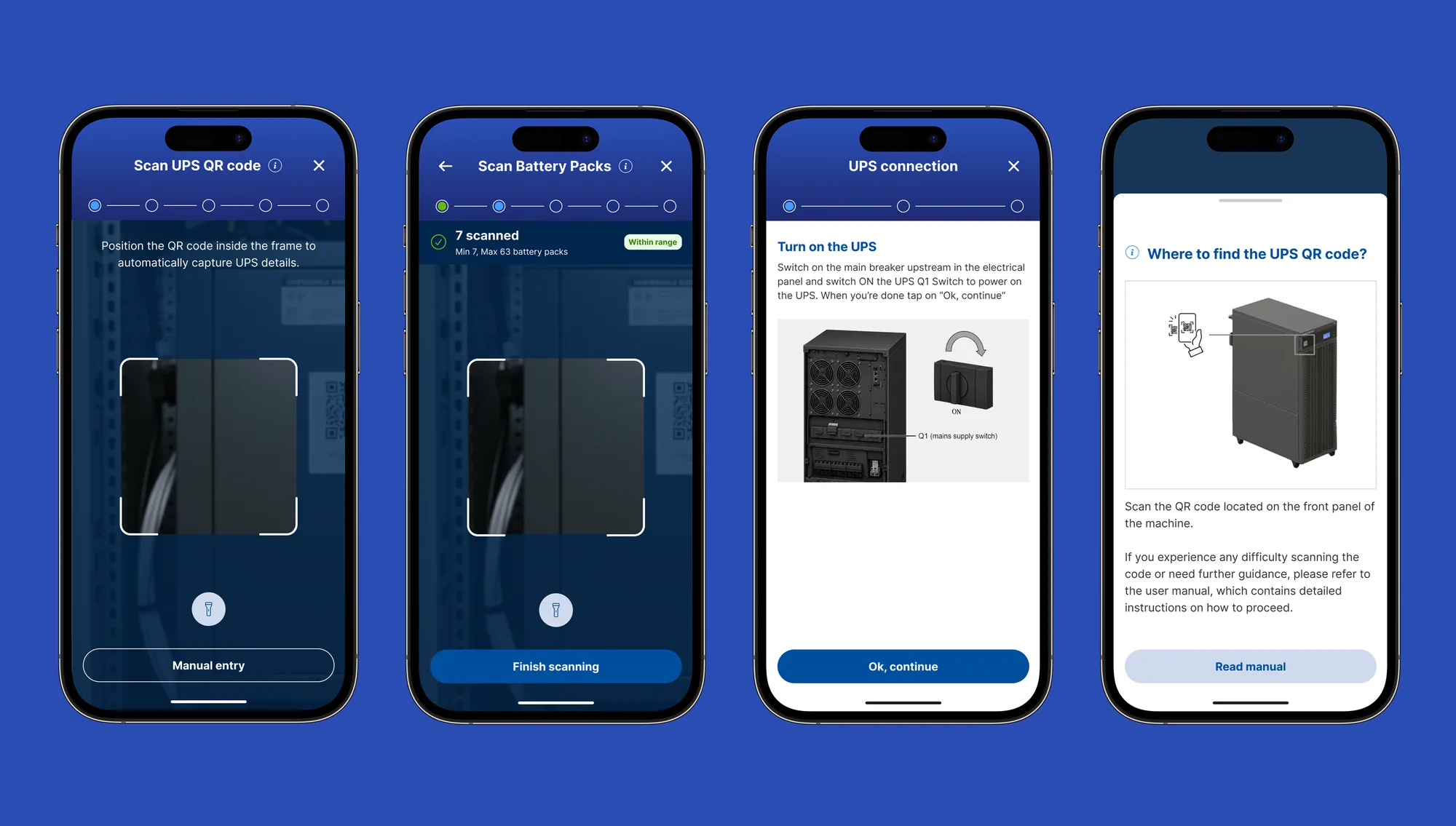
Step-by-step guided flows let installers complete critical steps autonomously and with confidence, cutting Socomec's need to dispatch technicians on-site, a direct cost reduction for the business.
IMPLEMENTATION
Concept design
Full flows in Figma: onboarding, sign up and login, site and zone creation, UPS recognition through QR code scanning, battery setup, 4G modem setup, checklist, and all three commissioning paths, including edge cases. Validated with Socomec before UI.
Design system and UI (AI-based process)
Component structure and states were generated and iterated with AI from the validated concept, then refined by hand for brand and field-use accessibility.
RETROSPECTIVE
- Replacing two single-role apps with one shared-data product clarified every downstream decision.
- AI accelerated backlog creation and the design system, freeing time for client validation and research synthesis.
- Project ongoing after 10 months; scoping to one product family first kept delivery realistic without limiting the roadmap.