H2D – DAB Pumps
IoT water pumps management app
Evolving smart water pump management experience by designing a more efficient way for installers and end users to monitor and control water systems
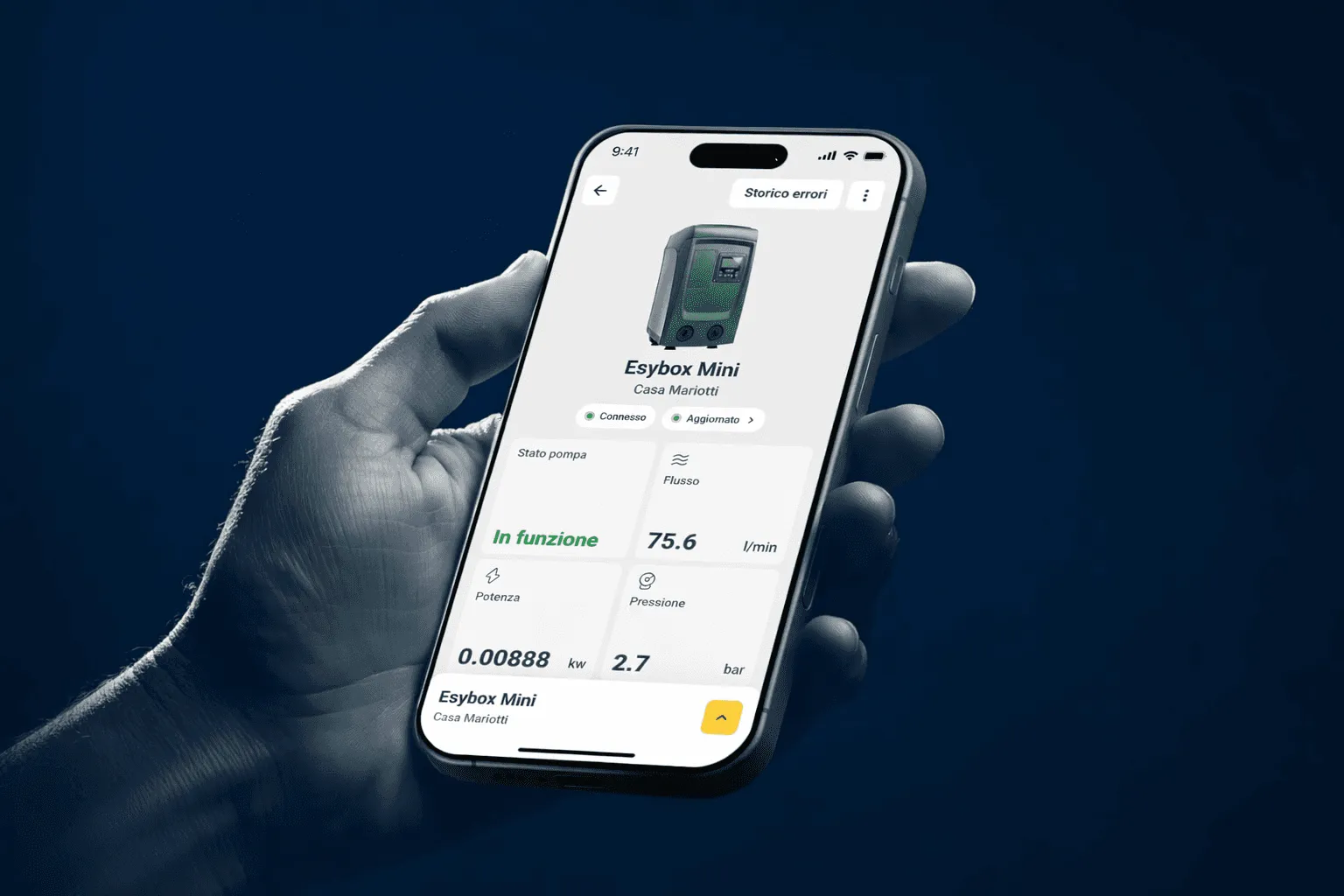
CORE PROBLEM
Low engagement driven by unsupported complex workflows
Without flows built for each role, the app lost people right after setup. In particular:
- It lacked clear segmentation of user needs between installers and end users.
- The interaction flow wasn't optimized for efficient troubleshooting in case of technical issues.
- User journeys were not streamlined for long-term engagement, especially needing data insights for installers and remote control efficiencies for end users.
UX DECISIONS
Interviews with installers and end users, an as-is audit and a benchmark pointed to two strategic directions:
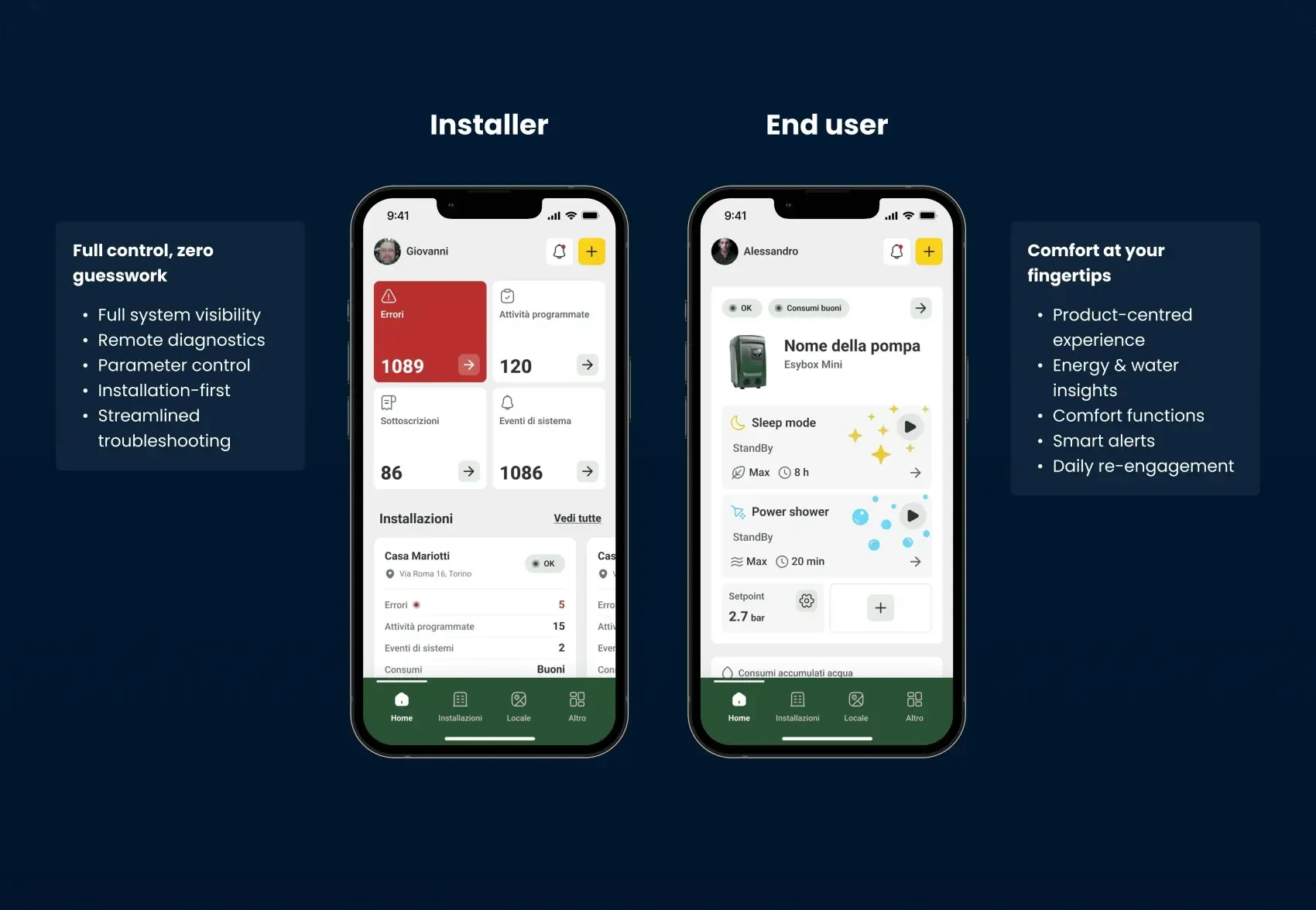
A - One app delivers segmented flows tailored to installers and end users.
Installers
Professionals needed remote diagnostics and parameter control, the installation as their unit of work, pump level detail on demand.
End users
End users needed something closer to a product: a clear read on water and energy use, alerts and comfort functions they handle alone.
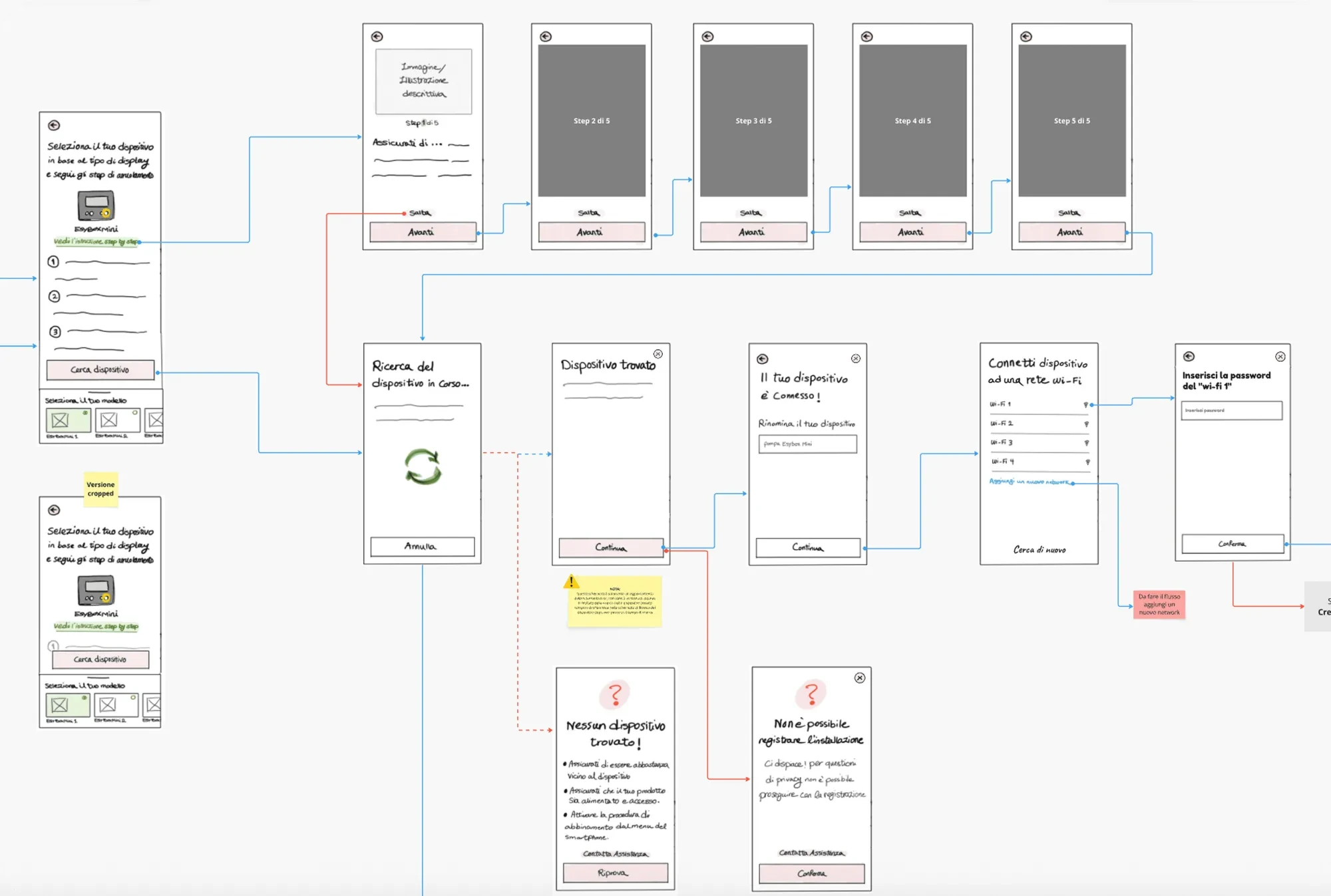
B - Simplified device setup and smart guidance through data
Simplify onboarding, then keep supporting people with insights and alerts for the life of the product. So the UX strategy was:
- Minimize initial complexity to increase device enrollment completion providing contextual step by step guidance throughout the process.
- Once connected, use progressive disclosure to present analytics when they are relevant.
- Provide alerts, insights, and recommendations to drive ongoing engagement
IMPLEMENTATION
Concept design
With this foundation, I moved into concept design, sketching two distinct mental models:
one built around the installation, for professionals, one around the device, for end users. The same shell gives each role its own hierarchy, controls and feedback.
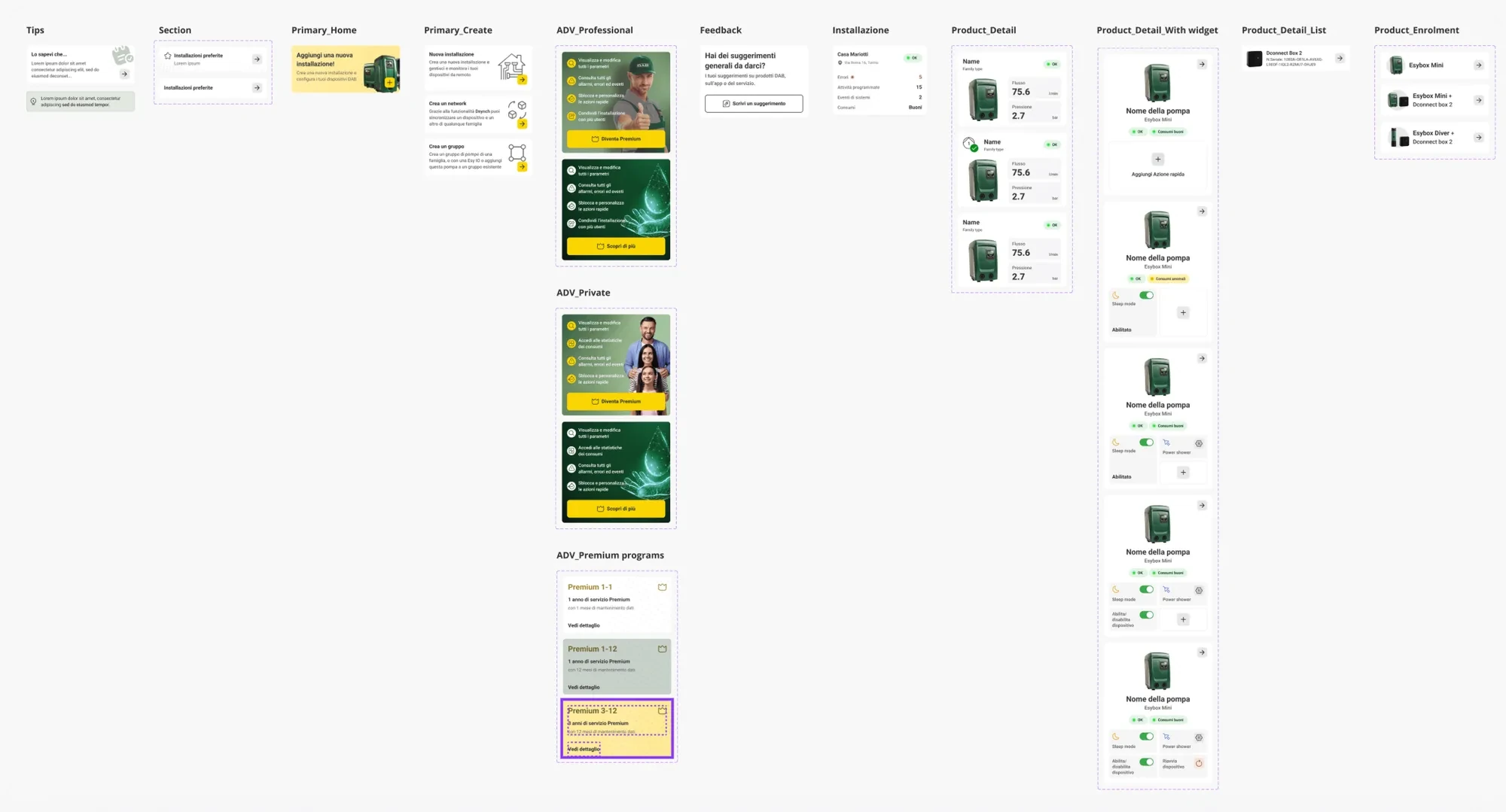
Design system foundation and construction
We set the design system foundations first: components, typography, colour tokens and interaction patterns shared by both experiences. That kept the interface coherent as flows multiplied.
UI design and prototyping
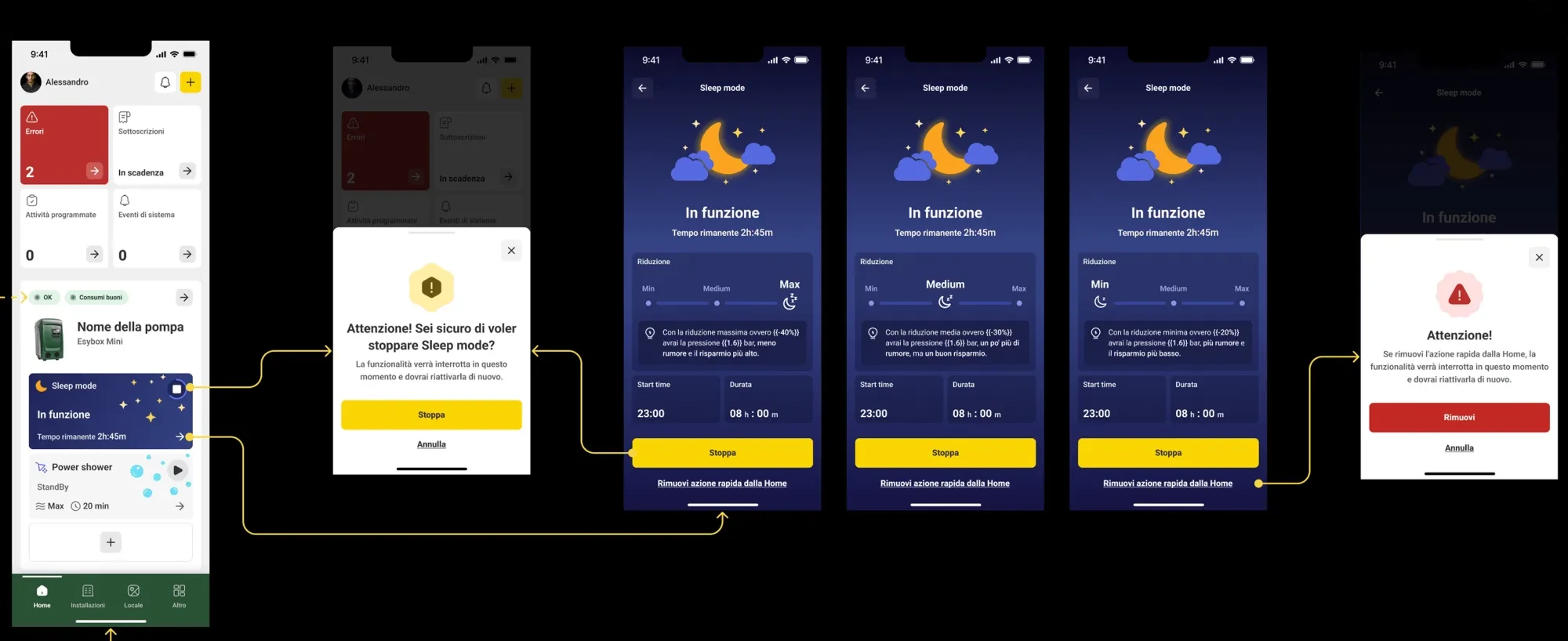
The concepts became one visual system: a dashboard that changes with the role, onboarding with guidance at each step, an alert layer that brings people back.
To validate the installer side we prototyped the professional flow and tested installation management, parameter controls and diagnostics against the pain points from research.
IMPACT
- increase in user retention
- 53%
- uplift in feature engagement related to end user (comfort functions)
- 40%
Key outcomes of this UX strategy include:
- Reduced cognitive load by presenting only relevant controls per role.
- Increased perceived value for installers who previously felt constrained by basic features.
- Higher engagement due to value-added insights and not just control.
- Encouraged daily app interaction (usage tracking, push alerts).
- Higher first-time product installation completion rates
- Decrease in support calls due to clearer flows
RETROSPECTIVE
- Segmenting user flows reduced confusion and improved engagement.
- Analytics + alerts turned passive control app into a daily resource.
- Role-based UX increased perceived value for professionals and homeowners alike.